 Mythos
Mythos vs Apple Books: A Better Reader for Studying & Deep Reading
Mythos is an Apple Books alternative built for studying. Highlight any passage in an EPUB or PDF and get an instant AI explanation, summary, or translation right on the page, no copy-pasting into ChatGPT.
Mythos vs Apple Books at a glance
The short version. Prose explanations below.
| Feature | Mythos | Apple Books |
|---|---|---|
| Inline AI explanations on highlight | ✓ Core feature | ✕ None |
| AI summaries of passages and chapters | ✓ | ✕ None |
| Inline translation for second-language readers | ✓ | ✕ None |
| Intent detection (suggests the right action) | ✓ | ✕ |
| EPUB support | ✓ | ✓ |
| PDF support (research papers, course readers) | ✓ | ✓ Basic |
| Built for active study and comprehension | ✓ | ✕ Passive reading |
| Offline reading | ✓ | ✓ |
| Buy ebooks in-app | ✕ | ✓ Apple Books Store |
| Audiobooks | ✕ | ✓ |
| Price | Free to download, daily AI actions included | Free |
Apple Books rows verified June 2026. We re-check them after each major iOS release.
Where Apple Books wins
The store and your purchased library
Apple Books is the easiest way to buy an ebook on an iPhone. The catalog is huge, purchases sync instantly, and the reading experience for a novel is polished. One important caveat for anyone considering a switch: books purchased from the Apple Books Store are wrapped in Apple's DRM, and no third-party reader, Mythos included, can open them. Titles you bought from Apple stay in Apple Books.
Audiobooks
Apple Books doubles as a full audiobook store and player. Mythos has no audiobook support. If audiobooks are a big part of how you read, you will keep Apple Books around for that alone.
Where Mythos wins
Inline AI on the passage you are stuck on
Apple Books has no built-in AI explanation, summarization, or translation. When you hit a dense paragraph, your options are to re-read it, skip it, or copy it into another app and lose your place. In Mythos, the highlight is the prompt. Select a passage and the action panel suggests the right move: explain, summarize, translate, or ask a question. The answer appears on the page you are reading, and you keep going.
Built for active study, not passive reading
Apple Books is designed for reading straight through, which is exactly right for fiction. Studying is a different activity: you interrogate the text, test your understanding, and slow down where it gets hard. Mythos detects what kind of passage you selected, an argument, a term, a foreign phrase, and surfaces the matching action without you typing a prompt. Over a semester of textbook reading, that difference compounds chapter after chapter.
Your own files are first-class
Mythos is built around the books you bring. Course readers, work PDFs, research papers, and DRM-free EPUBs all open into the same reading view, and every AI action works on them the same way. The files you study from are treated as the main event, not an afterthought.
What studying in Mythos looks like
Open your book, highlight the hard part, keep reading.
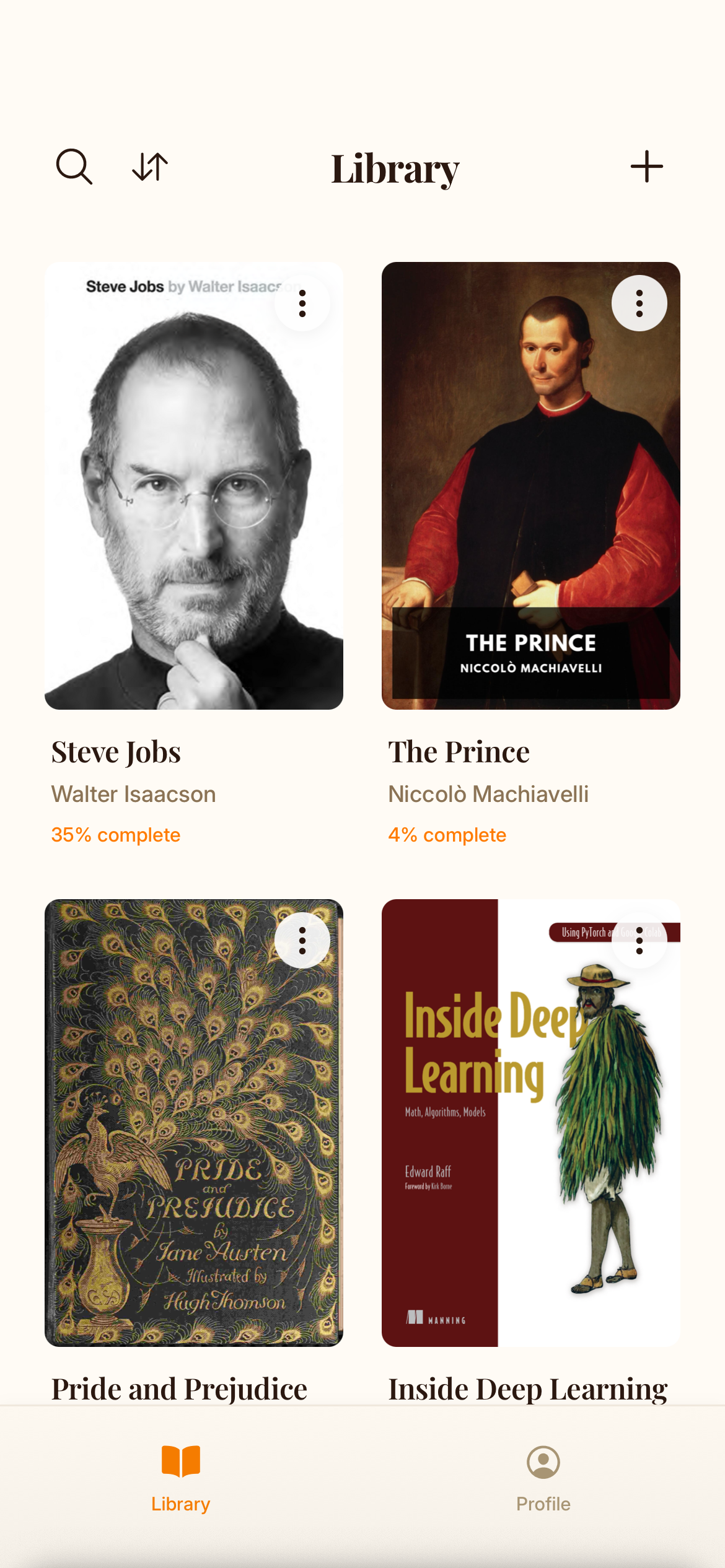
Add your own book
Open an EPUB or PDF from your device: textbooks, course readers, research papers, DRM-free books.
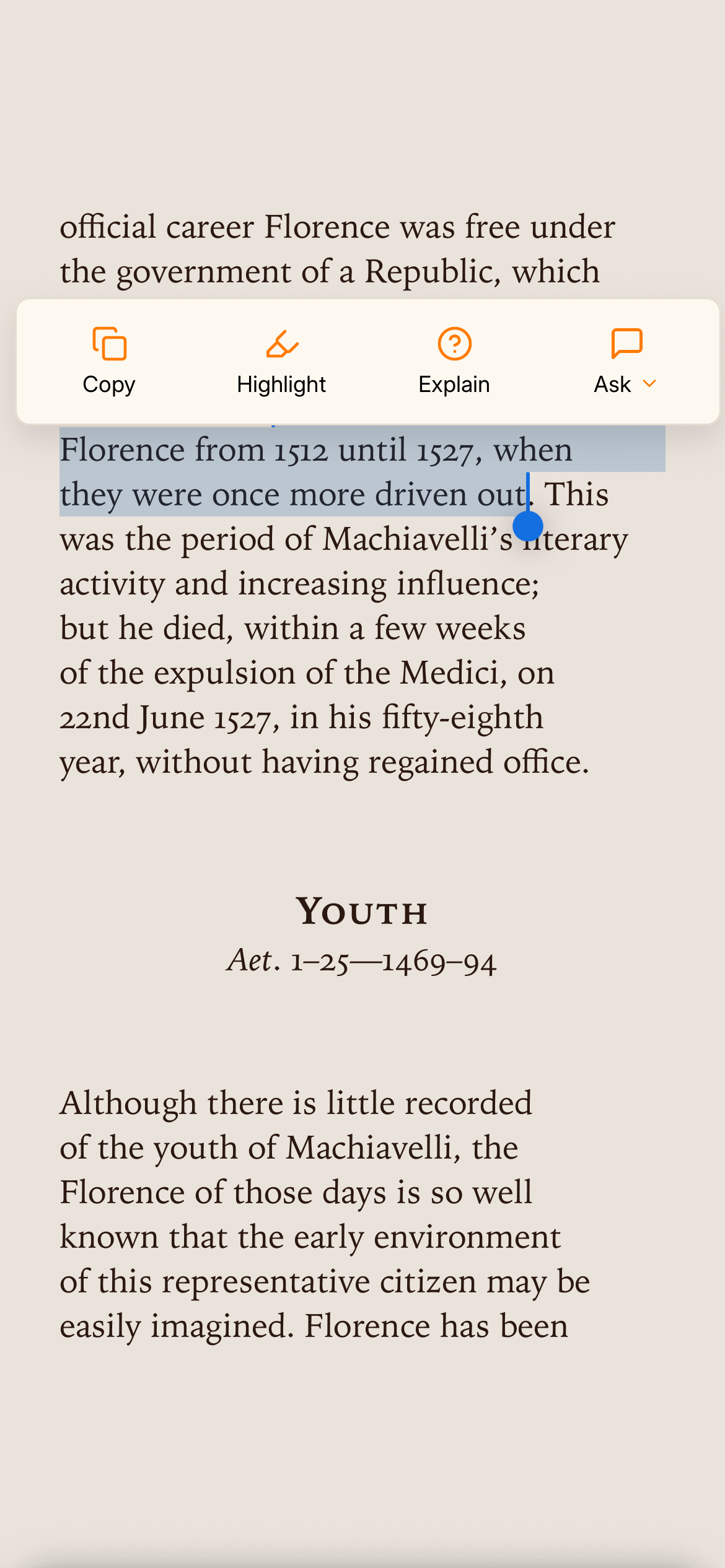
Highlight what slows you down
Tap and drag. Mythos reads the selection and suggests the right action: explain, summarize, translate, or ask.
Get the answer on the page
The explanation appears inline. Your place is kept, your flow is not broken.

Who should use which
Apple Books helps you read books. Mythos helps you understand them.
If your reading is fiction you buy from Apple's store, plus the occasional audiobook, stay where you are. Apple Books is genuinely good at that, and your purchased library cannot move anyway.
If your reading includes textbooks, research papers, course readers, or non-fiction you want to retain, Mythos is the stronger tool, because the AI lives inside the reading view instead of in another app.
If you read to learn, Mythos is the one to reach for. It is free to download, so the upgrade from passive reading to understanding what is in front of you costs nothing to try.
Frequently asked questions
What is Mythos?
Mythos is an AI-powered book reader for iPhone and iPad. Highlight a passage in an EPUB or PDF that you didn't understand, and Mythos suggests the question you were about to ask, then answers it on the page. You never leave the book.
What is the best Apple Books alternative for studying?
For active study, the biggest gap in Apple Books is the lack of built-in AI. Mythos is an iOS reader built for studying: highlight any passage in an EPUB or PDF and get an instant AI explanation, summary, or translation without leaving the page. It is free to download.
Does Apple Books have AI features?
No. As of 2026, Apple Books has no built-in AI explanation, summarization, or translation. To get AI help with a passage you have to copy text out into a separate app. Mythos builds those actions directly into text selection, so they appear the moment you highlight.
Can I export my highlights from Apple Books?
Apple Books has no native bulk export of highlights to Markdown, CSV, or JSON, and the share-to-email workaround has broken across several OS updates.
Is Mythos free?
Yes. Mythos is free to download from the App Store and includes daily AI actions. You can read your EPUB and PDF files offline anytime; AI actions need an internet connection.
Can Mythos open my own EPUB and PDF files?
Yes. Mythos opens DRM-free EPUB and PDF files, including research papers, course readers, and books, and lets you run AI actions on any passage you highlight. Note that books purchased from the Apple Books Store are DRM-protected, so no third-party app can open them.
Understand what you read, on the page.
Get Mythos on the App Store Scan to download on your iPhone
 Free to download. Works on iPhone and iPad.