 Mythos
Looking for a ChatGPT PDF Reader Alternative? Try Reading Inside the Book.
With ChatGPT, you talk to an AI about a book. With Mythos, you read the book on iPhone or iPad, and the AI shows up only when you highlight a passage.
The ChatGPT-with-PDF workflow is broken for books
Uploading a PDF into ChatGPT is the default AI reading workflow for many casual users. The two biggest cracks show up before you finish a single book.
It can't actually display the book
You upload the PDF and then chat about it, but the document itself isn't in front of you. You're flipping between the PDF in another app and the chat window. That's the opposite of immersive reading.
It forgets the beginning by the time you reach the end
Long-context models help, but recall still drops off across a long document. Ask about chapter 2 after a long session on chapter 7 and the answer often gets fuzzy. The longer the book, the more this compounds, and ChatGPT chats don't carry your place from one day to the next.
What Mythos does differently
AI lives inside the reading view, not in a chat window
You don't switch apps, paste text, or write prompts. You read. When something is unclear, you select it. Mythos detects what kind of selection you made, a character name, a complex argument, a foreign phrase, a confusing metaphor, and surfaces the right action inline.
A book reader first, with AI built in
Mythos is a book reader. The library, the chapter navigation, the typography, the highlights, the way a long book actually reads on iPhone and iPad, that's the foundation. AI is layered into that reading experience as an inline action when you select text. ChatGPT starts from the other end: an AI you talk to, where the book is just a file you uploaded. Mythos handles both PDFs and EPUBs.
How Mythos works
Open a book, highlight a passage, read the explanation in place.
Open a book, not a chat thread
Your library is always there. Tap a cover, you're reading where you left off.
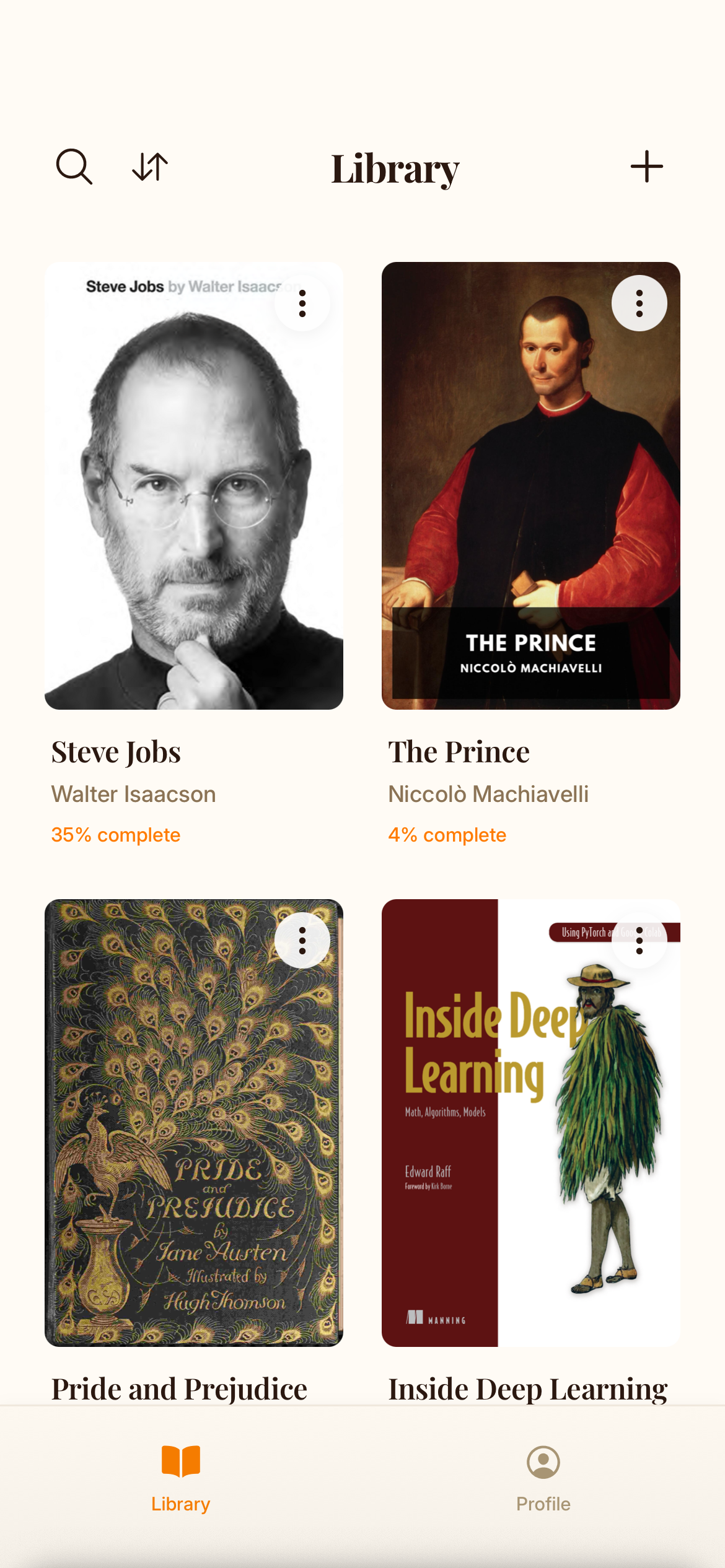
Highlight what slows you down
Tap and drag a passage. Mythos suggests the right action: explain, translate, ask, summarize.
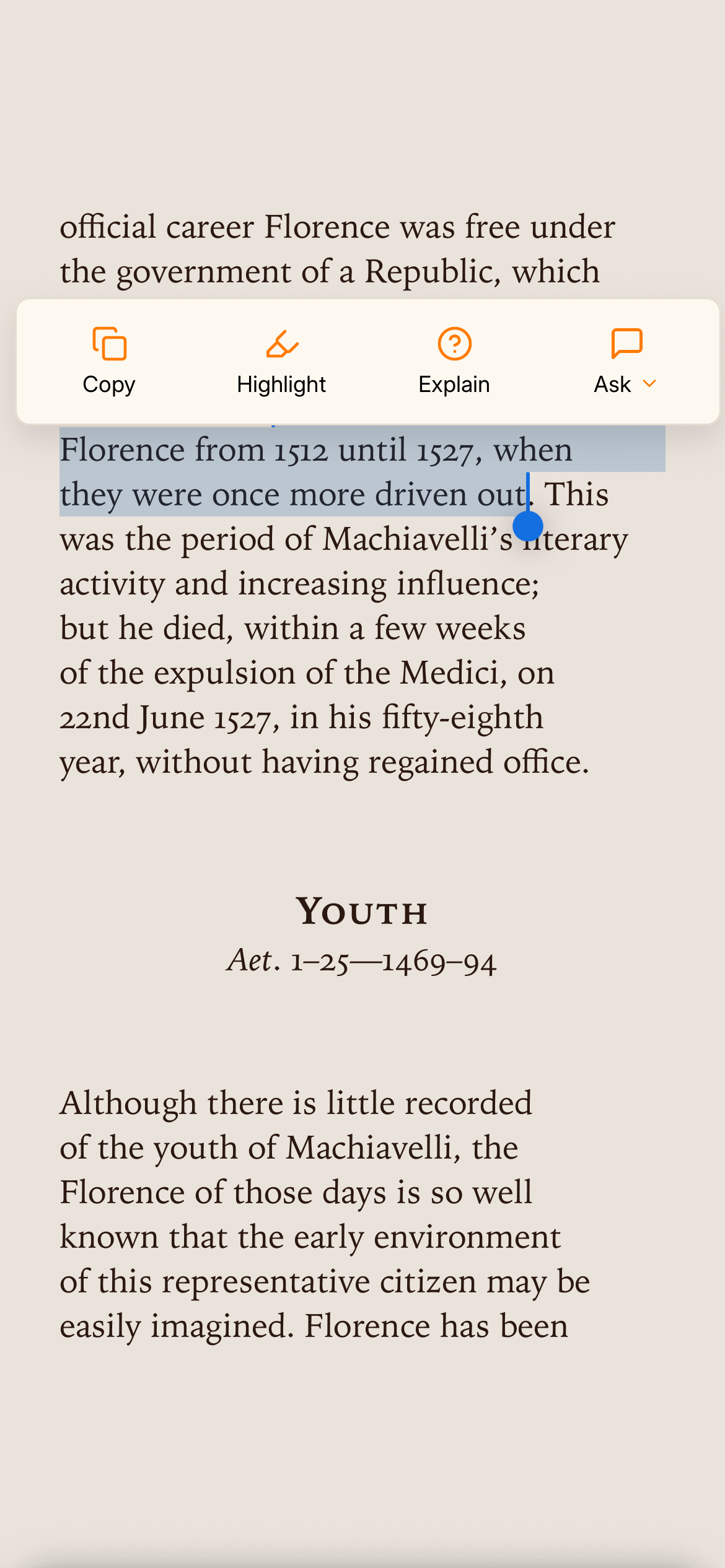
Read the answer in place
The explanation appears inline. The page stays where you left it.

Mythos vs ChatGPT for reading PDFs and books
| Feature | Mythos | ChatGPT (with PDF) |
|---|---|---|
| Where you read | Full reading view, your library | Chat sidebar; PDF stays elsewhere |
| AI invocation | Select text for instant inline action | Type a prompt in a chat window |
| File formats | EPUB and PDF | PDF (EPUB not supported) |
| Long-document recall | AI works on what you select, with context | Earlier parts get fuzzier as the document grows |
| Persistent reading state | Library, progress, and highlights stick | Chats don't carry your place between days |
| Offline reading | Yes (AI features need internet) | ✕ Cloud only |
| Designed for | Reading and learning from books | General-purpose chat across any topic |
| Price | Free, with daily AI actions | $20/mo Plus needed for reliable file uploads |
Who should switch from ChatGPT to Mythos
Students reading textbooks
If you've been copy-pasting chapters into ChatGPT and losing your place, Mythos is the upgrade. Highlight a paragraph in the textbook itself, and the explanation appears next to it. No more switching tabs or scrolling back to find where you were. More on the use case on the students reading textbooks page.
Professionals reading reports and non-fiction
You read industry reports and long-form non-fiction on the iPad. With Mythos, the report stays open while the AI works on whatever you highlight, a metric, an unfamiliar acronym, a paragraph worth a second pass. You're not chatting about the report, you're reading it.
Non-native English readers
If English isn't your first language and you read in English regularly, switching to a translator or prompting ChatGPT for every tricky paragraph adds up. In Mythos you select the passage, tap translate, and the result appears on the same page.
What you lose when you switch from ChatGPT to Mythos
Mythos isn't a general-purpose AI assistant. It can't write your emails, debug your code, or run a research session across a dozen unrelated documents. If that's the workflow you want, ChatGPT is still the right tool, and many readers use both.
Frequently asked questions
What is Mythos?
Mythos is an AI-powered book reader for iPhone and iPad. Highlight a passage in an EPUB or PDF that you didn't understand, and Mythos suggests the question you were about to ask, then answers it on the page. You never leave the book.
Is Mythos free?
Yes. Mythos is free to download with daily AI actions included.
What platforms is Mythos available on?
Mythos is available on iPhone and iPad via the Apple App Store.
Can I import the same PDFs I already upload to ChatGPT?
Yes. You can upload any PDF or EPUB to your Mythos library. Books, research papers, and reports load straight into a real reading view, so you read them on the page rather than chatting about them as attachments.
Does Mythos work offline?
Reading works offline. AI features need an internet connection so the model can respond.
How is Mythos different from "Chat with PDF" tools like ChatPDF or NotebookLM?
Those tools open the PDF in a chat sidebar. You read in one panel, chat in the other. Mythos puts AI inside the actual reading view, so you read normally and pull AI in only when you select text. The reading surface stays the focus, the chat box never does.
Does Mythos save my reading data for advertising?
No. Mythos is built for readers, not advertisers. We don't track your reading for ad targeting. The full privacy policy is linked in the footer.
See the workflow for yourself.
Get Mythos on the App Store Scan to download on your iPhone
 Free to download. Works on iPhone and iPad.